
Reduced Manual Data Entry
Staff spend less time entering data, freeing them for value-added tasks.
Streamline inventory, file calculations, and invoicing with a single, intuitive platform.
Windows and Web platform coverage
Platform Availability
Modular architecture for phased rollout
Scalable Deployment
End-to-end workflow from inventory to invoicing
Comprehensive Process Coverage
01 / PRODUCT OVERVIEW
Our custom software consolidates inventory tracking, file and accessory cost calculation, and invoicing into one unified solution. Designed for aluminium workshop operators, it eliminates spreadsheet chaos and manual bookkeeping. Experience real-time visibility and effortless compliance.
About the Solution
Our custom software consolidates inventory tracking, file and accessory cost calculation, and invoicing into one unified platform.
Key Business Value
Designed for
Staff spend less time entering data, freeing them for value-added tasks.
Real-time updates minimize stock discrepancies and prevent over-ordering.
Invoices are produced instantly after project completion, speeding up cash flow.
Dashboards give managers clear insight into performance and resource utilization.
Built-in audit trails and data integrity checks support industry compliance.
02 / PLATFORM CAPABILITIES
Each capability is connected to the wider experience, data model, operator workflow, and delivery plan.
Keeps stock levels updated instantly as items are received, used, or shipped.
Automatically computes costs based on dimensions, materials, and accessories for each project.
Generates professional invoices with itemized details and sends them via email or print.
Roles and permissions allow multiple staff members to work simultaneously without conflicts.
Provides dashboards and exportable reports for sales, inventory turnover, and profitability.
Reduces data entry errors by scanning product codes to update inventory and pricing.
Users can configure approval steps, notifications, and document templates to match their processes.
Responsive design ensures access from tablets and smartphones for on-the-go management.
03 / PRODUCT WORKFLOW
The product connects the steps that users experience with the controls your operating team needs behind the scenes.
Collaborate with workshop staff to capture functional and non‑functional needs.
Create wireframes and technical architecture that align with the workshop’s processes.
Build core modules and integrate with existing tools such as accounting software.
Conduct unit, integration, and user acceptance testing to ensure reliability.
Roll out the solution to production and train end‑users on features and best practices.
Provide ongoing maintenance, updates, and help desk assistance.
04 / TECHNICAL VIEW
A modular structure keeps the experience coherent while allowing the right services and integrations to evolve over time.
Web and mobile interfaces delivering responsive user experiences.
Encapsulates workflow rules, calculations, and validation logic.
Abstracts database operations and ensures data consistency.
Stores inventory, project, and financial records in a relational database.
Handles communication with external systems via APIs and data imports.
Delivery surfaces
The final app mix is selected during scope definition and designed for each platform’s users and constraints.
AluminiumInventory
FileCalcEngine
InvoiceGenerator
MobileApp
05 / SECURITY & OPERATIONS
The exact controls depend on your scope and infrastructure, but operational quality is planned from the start.
Track system health and receive alerts for performance anomalies.
Role-based authentication and encryption safeguard sensitive data.
Regular backups and failover strategies protect against data loss.
Help desk and knowledge base assist users with issues and questions.
Scheduled releases deliver new features and security patches.
06 / DELIVERY
Delivery is planned around product risk, platform requirements, integrations, and the order that creates value fastest.
Delivery model
Phased & collaborative
Typical timeline
8–12 weeks
What your team receives
Final scope, environments, ownership, service levels, store responsibilities, and third-party costs are documented before implementation begins.
07 / PRODUCT WALKTHROUGH
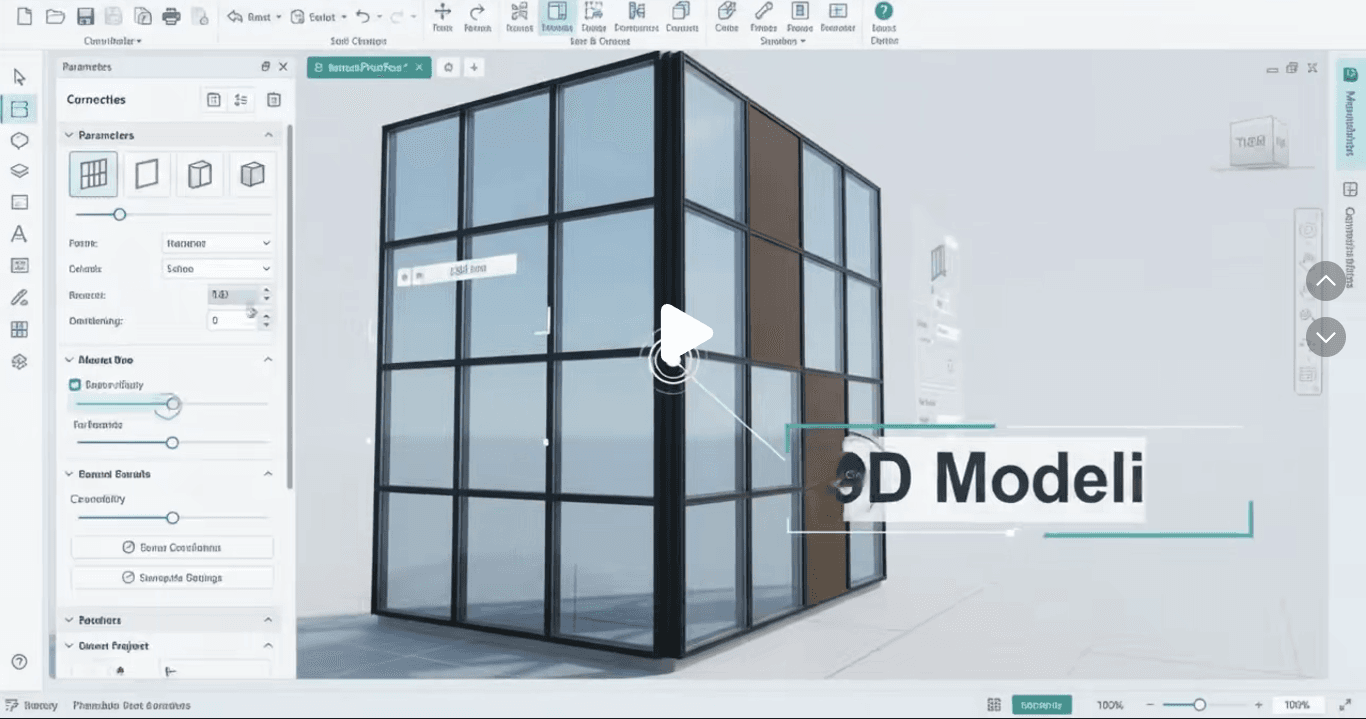
A practical view of the interface and the workflows behind it.
Commercial options
Platform mix, integrations, customization, migration, release support, and service level all influence the final investment.
Gold
Configured around the capabilities and delivery support required for your launch.
Premium
Configured around the capabilities and delivery support required for your launch.
08 / FAQ
Need a technical answer specific to your environment? Bring it to the product call.
The solution is web-based and can be accessed from any modern browser on desktop, tablet, or smartphone. Optional Windows desktop support is available.
No. The software can import data from CSV files, allowing a smooth transition without full replacement.
Yes. It uses role‑based authentication, encrypted data transmission, and follows industry best practices for data protection.
Absolutely. Users can modify templates to include branding, terms, and additional fields.
Standard support includes help desk assistance, bug fixes, and quarterly updates. Additional support tiers are available.
Typical delivery ranges from 8 to 12 weeks, depending on scope and integration complexity.
Build your version
We’ll help you choose the right scope, applications, integrations, and launch sequence.